How to sell used books in India?
Bookflow is a customer-to-customer platform like Olx to buy and sell books. We don’t buy or sell books nor handle deliveries. Bookflow is on the web since 2016 and aims to engage nearby book buyers and sellers.
Though this article explains in detail how to sell used books online, if you are in hurry, you can check this short video tutorial on how to post ad on Bookflow – https://youtu.be/bSqjNfsWJVE.
Lets get started on how to sell used books in India
On Bookflow you can sell used books and new books too. Start off with signing up on Bookflow via email or available social options.
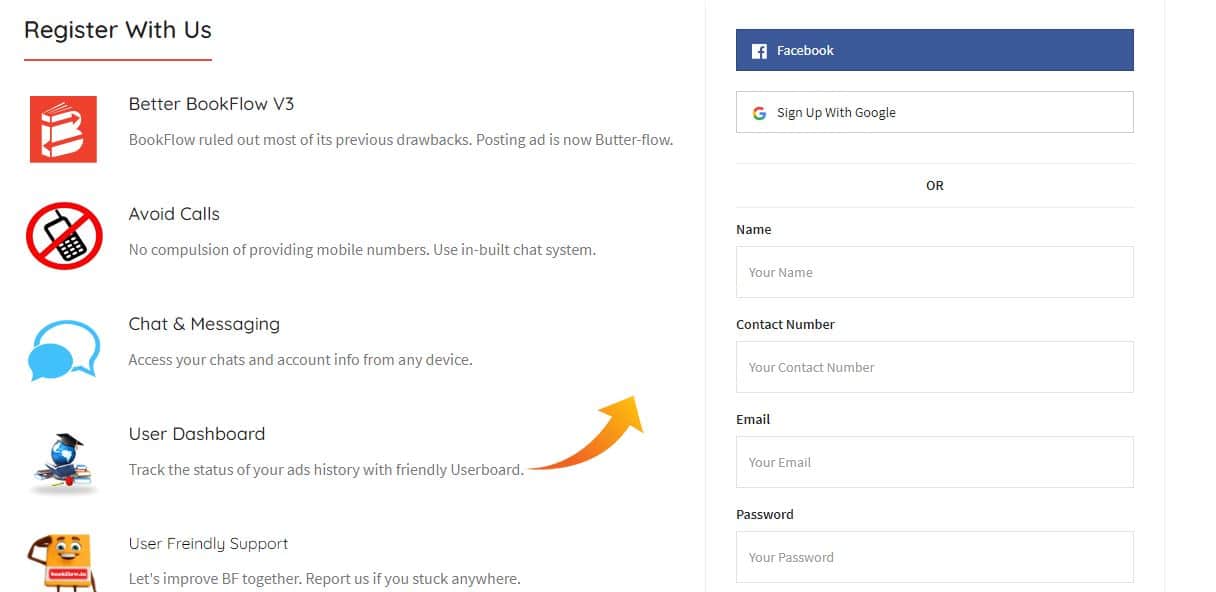
Once you are registered, click on ‘Sell Books‘ button to get started. The bookselling form is divided into three parts and here I am going to explain each option you have to fill.
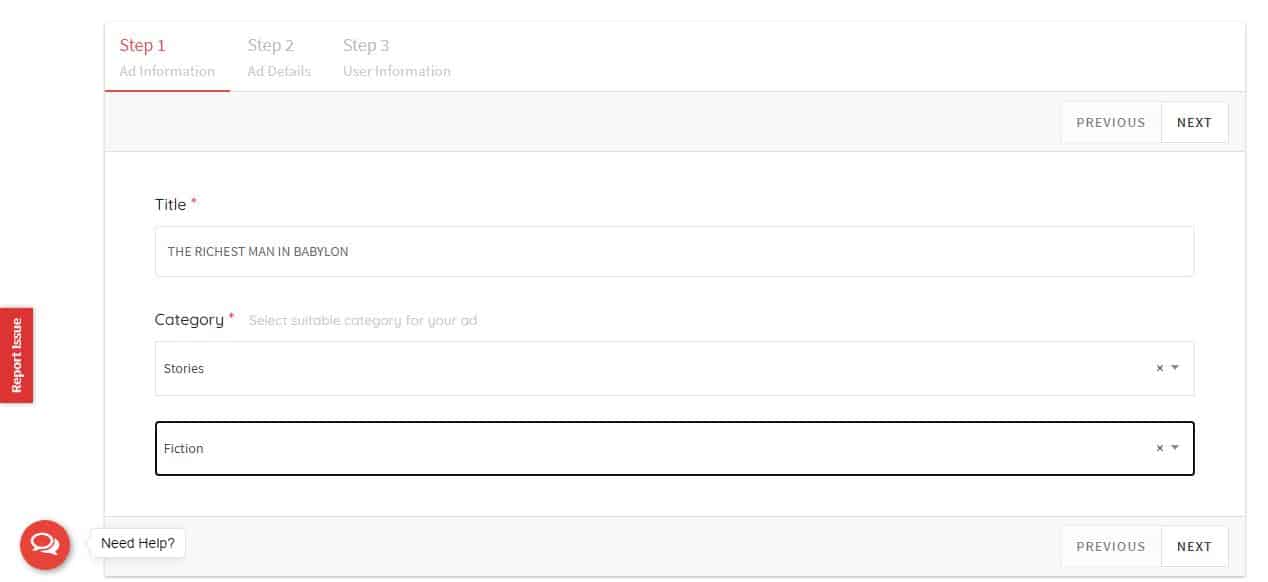
Title – Fill the name of the book you are selling. If you are selling multiple books in single ad, make sure you give an understandable title to the ad. Do not use your personal name in title or words like sale, used, discount, 50% off, untouched, etc.
Category – We have divided this into main & sub-category and have tried to include all available categories related to books. Make sure you select both options before proceeding. If you think any specific category is missing, you can submit a request for that in ‘Need help’ option or via support@bookflow.in email.
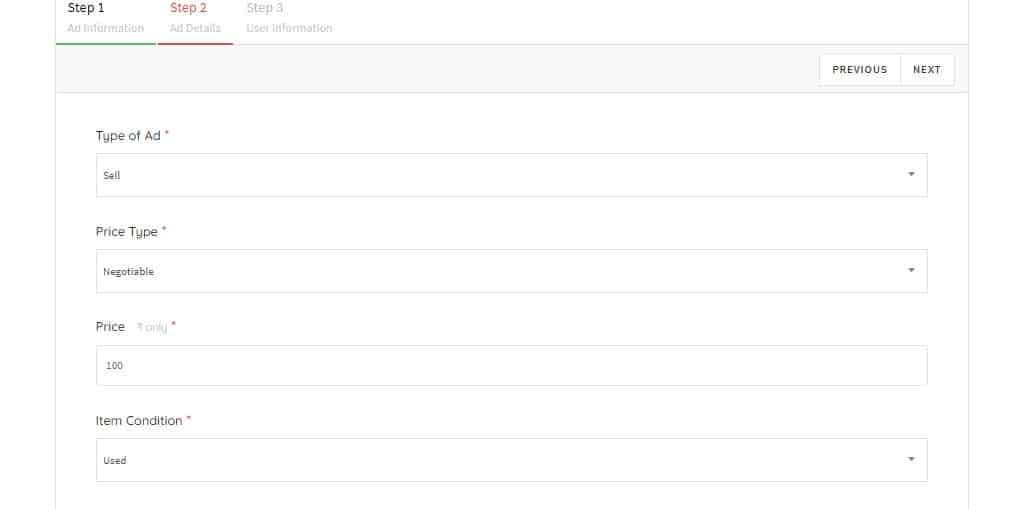
Type of Ad – Here we give you option to place buy and exchange requests along with sell. If you are selling books, just select sell.
Price Type – Being Indian, you have option select price type as fixed, negotiable or price on call.
Price – You need to mention the price at which you are willing to sell books. Do not write MRP but selling price.
Item condition – Simply select used or new as per the condition.
https://bookflow.in/bookflow-subscription/
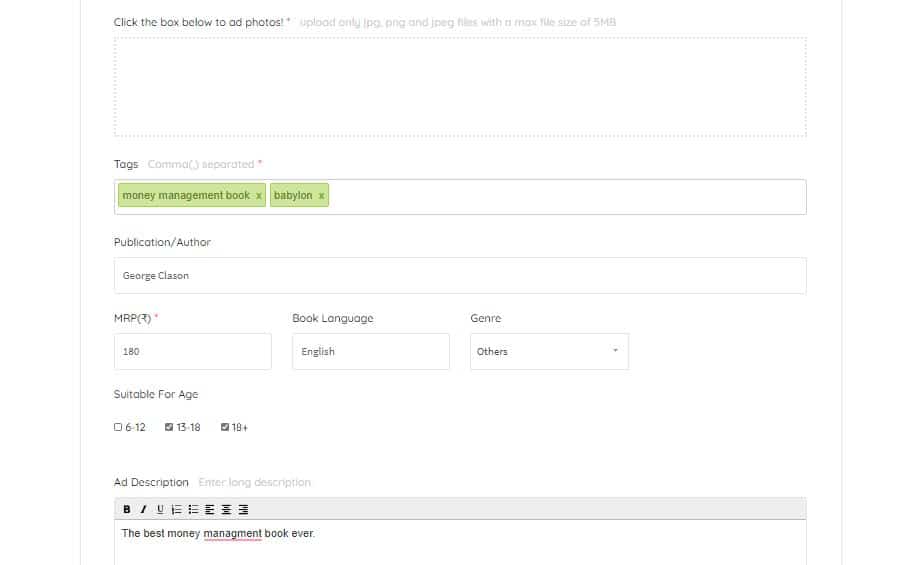
Photos – You can drop up to 3 photos of your book you are selling. It is suggested that you upload horizontal/landscape mode photo instead of vertical ones for better visibility on book ad page.
Tags – Please consider this as hashtags option. You can add terms related to books like jee advance, electronics, motivational book etc.
Publication/Author – Many times the same book can be from different publications. You can mention that here.
The other fields below will change as per the category you select.
Ad Description – You can describe here about book condition or whatever you want to let know. If you are selling multiple books, you can list out names here. If you are able to ship books to other cities, let buyers know.
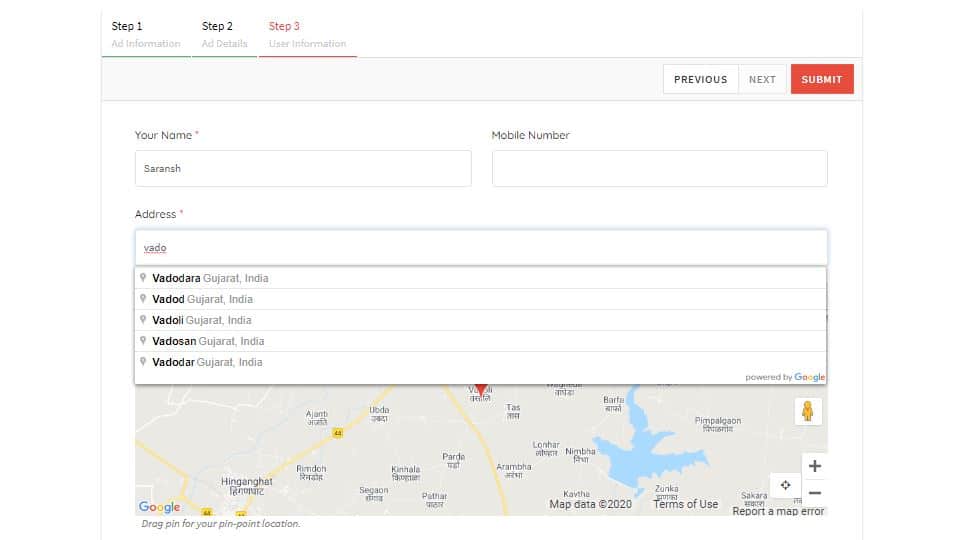
Name – Write the name you want to show on your book ad.
Mobile Number – Buyer can either call you on the number you mention here or via Bookflow chat. Giving mobile number is not required but it is advisable so buyer can contact you.
Address – Please write city in address and select it from dropdown. You can also click on pointer at bottom right to select your location automatically.
Finally, submit the ad for review. Once approved, the book ad will be live on site.
https://www.grabon.in/indulge/shopping-tips/best-sites-buy-books-online-india/
Things to note
Bookflow doesn’t buy or deliver books. Our vision is to make books encashed within the city. Make sure to be smart and safe while dealing, refer – https://bookflow.in/safety-tips/.
If you have any questions or face any issue while posting ad, just click on ‘Need Help’ icon on bottom left and we will be there to assist you.
Lastly, to make Bookflow vision a success and to get more buyer response in your next book ad, please share Bookflow with your friends and bibliophiles. We are trying our best to meet your expectations.